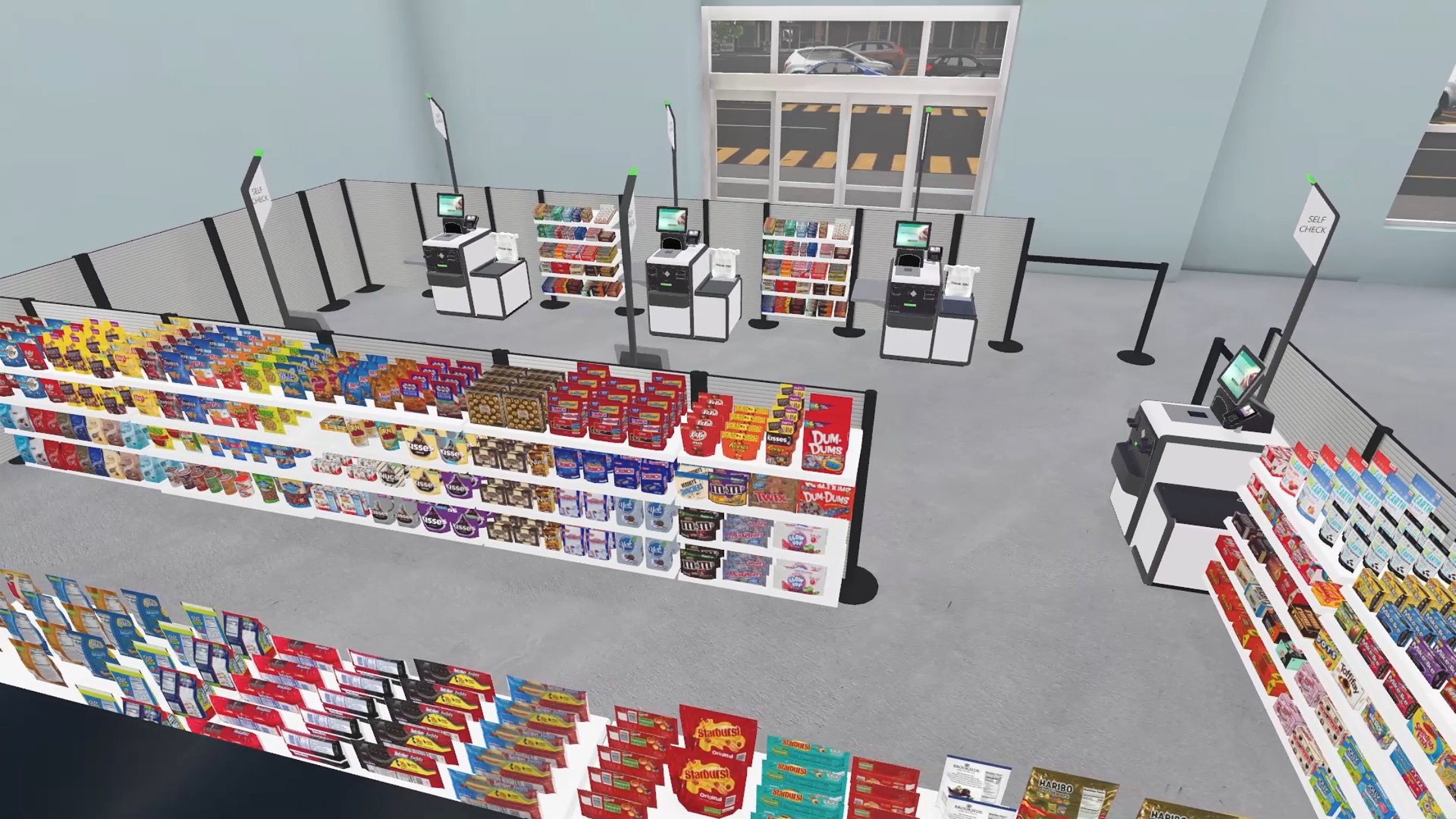
Connect 3D Store Design to Real-World Execution with Constraint-Aware Planogram Planning
A planogram should not fall apart the moment it reaches the store, and yet, that’s exactly what happens every day. A beautiful concept gets approved, and then it hits the shelf.
Suddenly, the fixture isn’t deep enough, the pegs don’t align, and the table can’t support the product. Before long, the plan isn’t a plan anymore. It’s a suggestion.
During execution, the store team does what they can. They “make it work” by shifting products, cutting facings, and ignoring parts of the plan that were never realistic to begin with.
One workaround at a time, the original merchandising strategy gets diluted, and the hidden cost of modern planogram design is revealed.
The Real Issue: A Gap Between Concept and Reality
Retail has invested heavily in better visualization. Merchandising teams can now design precise 3D planograms, walk through stores in VR, and demo interactive product presentations from anywhere.
Unfortunately, visualization doesn’t guarantee viability. Most workflows still treat design and planning as separate steps. Usually, the design concept is created first in one environment, and the planogram for stores is built afterward in a different platform.
Somewhere in between, accuracy gets lost. Spacing is approximated, placement is reinterpreted, and physical constraints are introduced too late.
By the time the plan reaches the store, it’s already compromised, and store teams experience the same frustrating pattern over and over: “Here’s a layout from someone who’s never set foot in this store. Make it work.”
When plans aren’t grounded in real-world conditions, stores are forced to compensate, and margin disappears in the process. 81% of retail executives report losing at least 5% of operating margin due to in-store execution issues.
Why It Matters: The Cost of Guesswork Scales Fast
When planograms aren’t grounded in reality from the start, the impact shows up everywhere. Most retailers don’t notice, because it doesn’t culminate as one big failure, but this problem presents itself as persistent friction across the organization:
- Time lost to rework during planning and resets
- Slower approvals as teams debate what’s actually feasible
- Inconsistent execution across stores
- Store teams forced to improvise under pressure
Individually, these challenges feel manageable. At scale, they’re very expensive.
According to Coresight Research, retailers lose an average of 5.5% of revenue due to store-level inefficiencies, totaling more than $160 billion annually.
Again, these losses aren’t driven by one major failure. They come from small, repeated breakdowns, like planograms that don’t match reality, resets that require rework, and execution that drifts from intent.
Every compromised plan weakens the connection between merchandising strategy and what the shopper actually sees. Retailers don’t lose control all at once, but with one small exception at a time.
The Shift: Design and Planning Shouldn’t Be Separate
Planogram compliance is among the most consistently challenging areas for retailers, with up to 91% of retailers reporting difficulty.
The instinct is to fix execution, but execution isn’t the root problem. The real issue is that plans weren’t built to work in the first place.
The fastest way to fix broken planograms is to eliminate guesswork before the plan ever reaches the store. That’s where One Door Studio-Planning integration changes the process for store layout and design.
The Solution: One Connected Workflow for Store Design and Planning
With Studio and Store Planning working together in a single platform, planograms are no longer created in isolation and then translated later. They’re built once — correctly — and carried forward.
Design with Reality Built In
In Studio, teams create planograms in true-to-life VR environments using real fixtures, real placement rules, and real constraints:
- Products are placed only where they physically belong, which means fewer surprises in-store and less last-minute rework.
- Fixtures behave the way they do in-store, so what you design is what your teams can actually execute.
- Capacity is respected from the start, preventing overfilled shelves and reducing the need for on-the-fly adjustments.
- Orientation, spacing, and depth reflect actual conditions, so assortments fit correctly the first time and maintain their intended impact.
The result is a better-looking concept and a plan that already works before it leaves design.
Move into Planning Without Losing Accuracy
Instead of rebuilding the plan in another planogramming software, the design flows directly into Store Planning.
Placement stays intact, relationships between products and fixtures are preserved, and, most importantly, the original intent doesn’t get diluted through manual translation. Planning now becomes faster and far more reliable.
Scale Across Stores Without Breaking the Plan
Once in Store Planning, that same plan adapts to each store using the Digital Store Model. Rather than forcing a single layout for every store, the plan flexes based on real store conditions, including fixtures, formats, and attributes.
Now, you don’t have to choose between consistency and localization. You get both.
Reduce Rework and Improve Execution
When plans are accurate from the start and flow cleanly into execution, those problems begin to solve themselves:
- Approvals happen faster.
- Iterations decrease.
- Store teams spend less time troubleshooting.
- Resets reflect the original intent.
Stores stop asking, “What are we supposed to do here?”
Because the answer is already clear.
One Platform = A Single Source of Truth
Retail has operated for too long with two versions of every plan: The one that gets approved and the one that actually works.
That gap is where time, labor, and alignment are lost. The Studio-Planning integration removes that gap by connecting immersive design with real-world execution, so what gets approved is what gets built. No translation, rework, or guessing games.
Request a demo of Studio to see how One Door helps you design with real-world constraints and plan with confidence across every store, so your planograms work the first time — not after the store fixes them.