Why 3D Planograms Fail Without Constraint-Aware Store Planning & How to Fix It
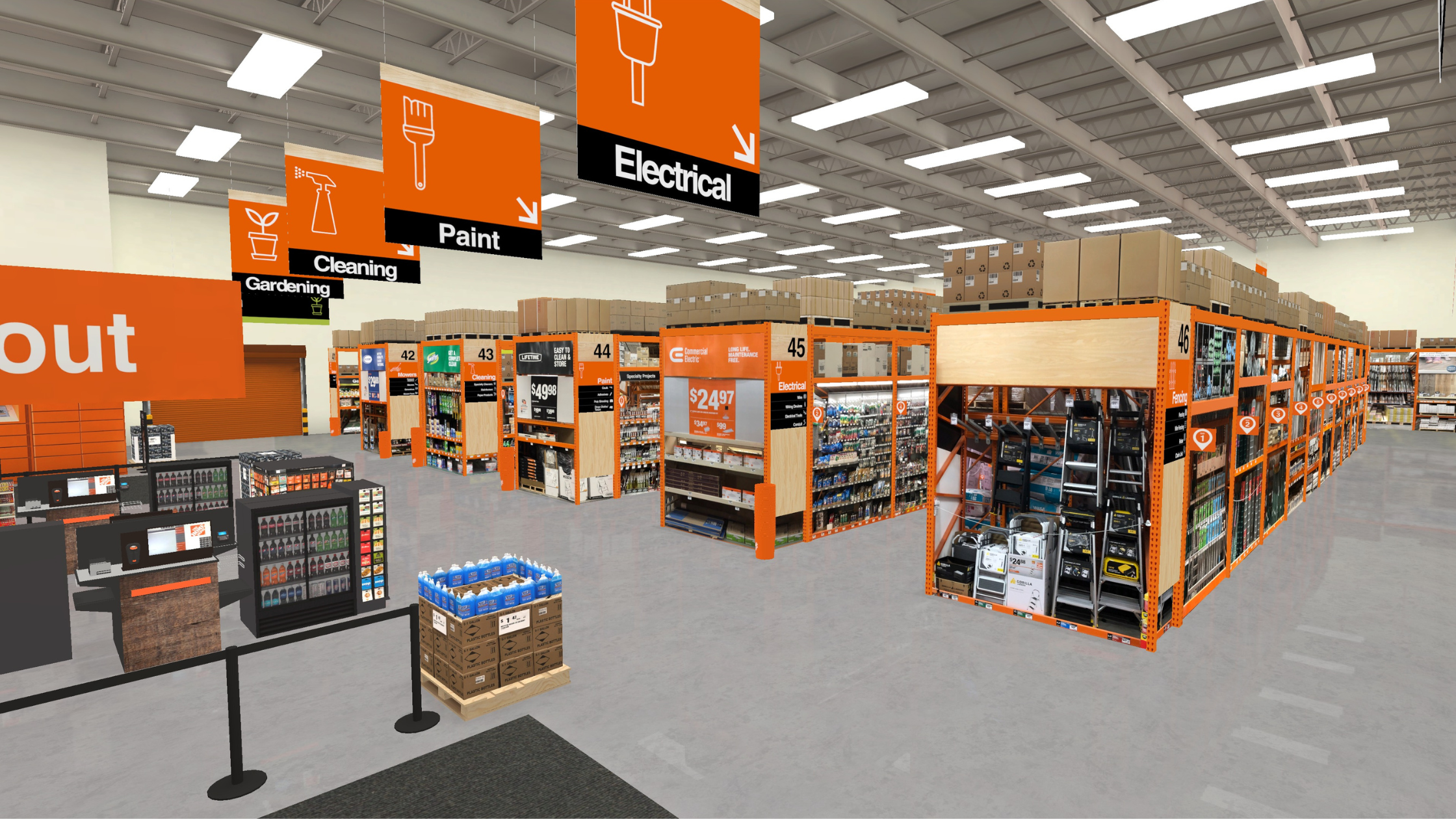
3D planograms are slowly becoming the norm. Displays and even entire store networks can be rendered in 3D. Fixtures can be modeled, and aisles can be walked in VR. These lifesize digital planograms can finally look like the environments they’re meant to shape.
On the surface, that feels like progress. Retailers are spending billions on 3D tools, but here’s the problem: Most 3D planograms are still built on the same planning assumptions that made 2D planograms fragile in the first place.
They’re visually immersive and “pretty” but may not be structurally precise.
The Retail Industry Confused 3D Visualization With Better Store Planning
Retailers are moving beyond flat planograms, but they’re not always beyond flat planning. To make it clear: A 3D planogram can absolutely improve collaboration.
3D renderings can help teams communicate intent. They can make reviews faster and bring creative vision to life, but none of that visualization or alignment guarantees the plan is viable in stores.
Visualizing isn’t the same thing as planning with precision. Planning with precision requires constraints. It requires the planning workflow to understand the non-negotiables that shape every store decision, like the:
- Actual capacity of a shelf, peg, or fixture
- Dimensions and attributes of each store
- Assortment rules
- Category logic, adjacency, and space allocation
- Difference between what looks right and what just fits
Most 3D planogram software stops at “what looks right.” They don’t enforce feasibility, and that’s where modern store planning breaks, even in 3D.
The Hidden Cost of Non-Space-Aware Tools
When a 3D planogram tool isn’t space-aware, it creates cosmetic errors and, worse, planning debt. That debt shows up as familiar, frustrating artifacts in the planning process, such as:
- Products that float without real attachment to any fixture logic
- Overfilled layouts that ignore physical constraints
- Assortment mismatch across store variations
- Constant manual reconciliation between strategy and reality
- Endless iteration cycles that burn selling time
And here’s the real trap: Those issues don’t look like planning failures when you’re staring at a polished 3D rendering. They look like edge cases… until they pile up.
Until every plan requires exceptions.
Until store planning becomes a clean visual concept paired with messy real-world workarounds.
Constraint-Aware Store Design Should Be the New Standard
3D visualization isn’t the issue. It’s 3D without parameters — when a plan can be rendered beautifully, but isn’t governed by the physical constraints, capacity limits, and store-specific rules that make it viable.
That’s why constraint-aware planning should be the new standard. Constraint-aware design means the planning environment enforces physical reality from the start.
The plan should always be grounded in real-world data and layouts, not just aspiration. That shift is subtle, but profound:
- Products aren’t placed unless the fixture can hold them
- Shelves don’t overfill because capacity is real, not assumed
- Plans adapt to store-specific attributes instead of forcing templates
- Assortment, category intent, and space allocation operate as one system
- Planning becomes scalable because precision is built in, not validated later
Constraint-aware store planning doesn’t just make planograms more accurate. It changes the pace and confidence of planning itself, because teams stop debating hypotheticals and start iterating within reality.
It also reduces unnecessary inventory carrying costs, lowers lost sales risk, and improves demand alignment — all of which are harder to recover once costs are locked in.
Why This Matters Now: Planning Cycles Are Compressing
Retailers are planning faster than ever: More resets and campaigns. More store variation and SKU churn. More pressure to localize.
When planning cycles compress like that, the cost and risk of an unrealistic plan increase. There’s less time to catch it, fix it, or manually reconcile it across an entire fleet.
In an environment where speed and agility are vital, immersive 3D planning has to be intelligent and spatially aware. Here’s a good case for why: An academic study modeled performance based on real retail sales data to examine shelf space planning localization.
By comparing generic enterprise-level planograms with highly localized, store-specific ones, the study found that:
- Under-spaced products dropped by 88%
- Over-spaced products declined by 27%
- Lost sales reduced by 87%
- Excess stock value dropped by roughly 70%
While the research simulated outcomes rather than measuring live implementations, it used real sales records to generate planograms and then evaluated them against key operational and financial metrics.
The results showed that increased localization systematically improves performance across multiple merchandising KPIs. In other words, the patterns in the theoretical data strongly suggest that planning precision correlates with improved commercial performance.
Where One Door Helps: Visualization and Spatial Truth Finally Connect
Studio is powerful because it gives retailers and CPGs a space to create and review in 3D — quickly, clearly, and in context.
It turns flat plans into something immersive and visual that teams can actually understand, stress-test, and align around, but the real planning breakthrough happens when that visualization isn’t floating.
When 3D visualization is connected to a platform that understands the store as it actually is — fixture by fixture, location by location — it can guide planning decisions to be executed in reality.
That’s what the Digital Store Model is built to do. It’s the constraint-aware foundation that scales precise planning. It captures the real attributes of each store, so teams aren’t just designing what should happen in theory.
Together, Studio and the Digital Store Model move 3D planograms from “pretty output” to “precise planning”:
- Studio makes concepts tangible in immersive 3D, so teams can iterate and align faster.
- The Digital Store Model keeps those concepts anchored to reality, so assortments, space, and layouts stay feasible across every store format.
That’s the difference between a plan that looks right in a virtual aisle and a plan that’s structurally sound enough to scale.
The New Question Retail Should Ask About 3D Planograms
Store planning is no longer about, “Does this look like the store?” It’s about, “Does this behave like the store?”
When the planning platform understands space, capacity, and store variation by default, planograms stop being visual suggestions and become what they were always supposed to be: A system of record for space.
Want to make planograms that work as well as they look? Download our Dynamic Planogram Guide to learn how digital planograms enable store-specific localization, clearer execution instructions, and real-time tracking — turning retail strategy into results.